
Troubleshooting Smart Feeders: Common Issues and Their Solutions

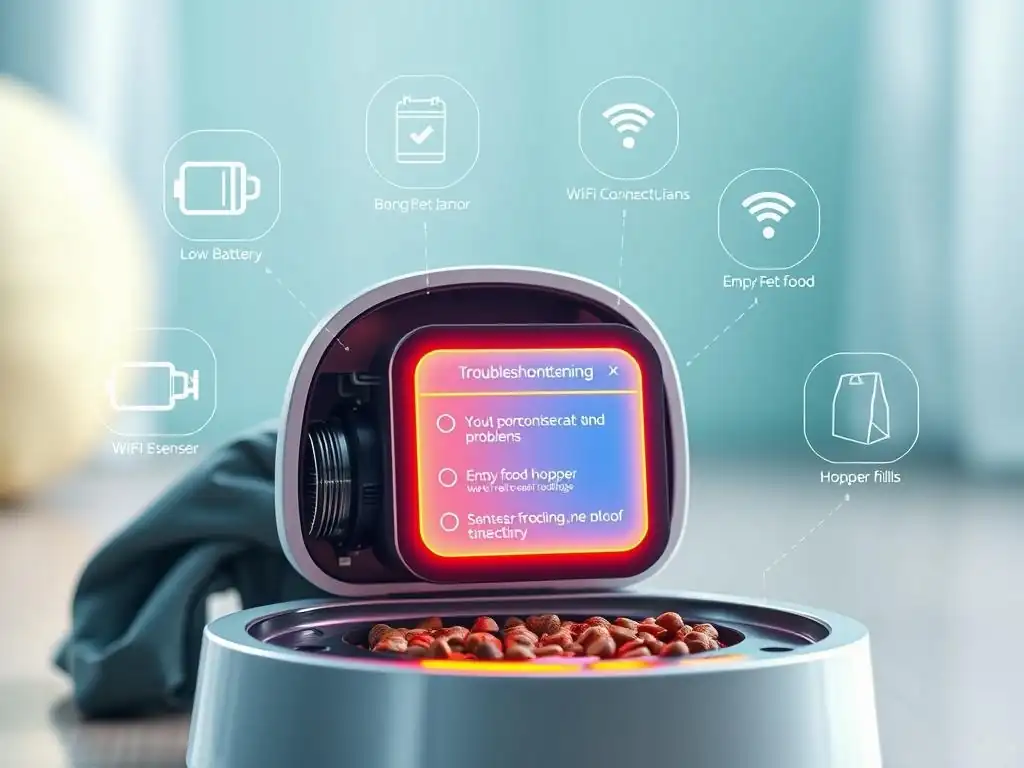
Welcome to PetCareWorld, your ultimate guide to happy and healthy pets! Are you experiencing frustrating glitches with your smart feeder? We understand the frustration of tech malfunctions, especially when it involves your beloved pet's well-being. Discover our comprehensive Smart Feeder Troubleshooting Guide and get back to enjoying the convenience and peace of mind this innovative technology offers. Dive in and learn how to solve common problems, ensuring your furry, feathered, or scaled friend gets the perfect meal every time!
- Understanding Smart Feeder Issues: A Comprehensive Guide
- Solving Smart Feeder Problems: Practical Solutions & Maintenance
- Advanced Troubleshooting and Professional Help
- Frequently Asked Questions (FAQ) about Smart Feeder Troubleshooting
- Frequently Asked Questions
- Final Reflection: Nourishing the Future, One Smart Feeder at a Time
- Unleash Your Pet's Happy Mealtime!
Understanding Smart Feeder Issues: A Comprehensive Guide

Smart pet feeders have revolutionized pet care, offering convenience and peace of mind to pet owners. These automated systems allow for precise portion control, scheduled feeding, and even health monitoring, contributing to a healthier and happier pet. However, like any electronic device, smart feeders can experience occasional malfunctions. This comprehensive guide will walk you through common issues, providing practical troubleshooting steps to get your smart feeder back up and running smoothly. We'll cover everything from food dispensing problems and connectivity issues to low battery alerts and power supply malfunctions, focusing on popular brands like WOPET and PetSafe, and offering solutions applicable to a wide range of smart feeder models, including the Arf Pets Automatic Feeder. This guide aims to be your ultimate resource for effective "smart feeder troubleshooting," equipping you to confidently address any challenges you may encounter. Let's dive in and ensure your furry friend never misses a meal!
Identifying Common Smart Feeder Problems: Malfunctions & Connectivity
Smart feeders, while convenient, can present various challenges. These issues generally fall into two main categories: malfunctions related to food dispensing and connectivity problems stemming from Wi-Fi or app-related issues. Understanding these categories is the first step towards effective troubleshooting. Let's explore each in detail.
Smart Feeder Not Dispensing Food: Troubleshooting Steps for WOPET and PetSafe Models
A smart feeder's primary function is food dispensing, and failure in this area is understandably frustrating. Here's a structured approach to troubleshooting this issue:
- Check the food supply: Ensure there's enough food in the hopper and that it's not jammed. Sometimes, larger kibble can get stuck.
- Inspect the dispensing mechanism: Carefully examine the mechanism for any obstructions. Remove any debris that might be hindering food release.
- Power cycle the feeder: Unplug the feeder from the power source, wait 30 seconds, and plug it back in. This often resolves minor software glitches.
- Check the app settings: Verify that the feeding schedule is correctly set and active within the accompanying app. Sometimes, accidental changes can disrupt dispensing.
- Check for software updates: Update the firmware of your smart feeder through the app if an update is available. This can resolve bugs and improve functionality.
- Contact customer support: If the problem persists despite these steps, contact the manufacturer's customer support for assistance. They may have specific troubleshooting advice for your model.
Connectivity Problems: Wi-Fi Issues and Network Troubleshooting for PetSafe Smart Feeders
Connectivity issues are another common problem. These can range from weak Wi-Fi signals to network configuration problems. Here's how to address these:
- Check Wi-Fi signal strength: Ensure your router is close enough to the smart feeder and that the Wi-Fi signal is strong. A weak signal can disrupt connectivity.
- Restart your router: Power cycle your router by unplugging it, waiting 30 seconds, and plugging it back in. This often resolves temporary network glitches.
- Check your network settings: Verify that the smart feeder is connected to the correct Wi-Fi network and that the password is entered correctly in the app.
- Update your router's firmware: Ensure your router's firmware is up to date. Outdated firmware can sometimes cause compatibility issues.
- Check for network interference: Other electronic devices can sometimes interfere with the Wi-Fi signal. Try moving the feeder or router to minimize interference.
App Glitches and Software Errors: Fixing Common App-Related Problems with WOPET Smart Feeder
App-related problems can stem from various sources, including software bugs or server-side issues. Here's a systematic approach:
- Check for app updates: Ensure that the app is updated to the latest version.
- Restart your phone or tablet: A simple restart can often resolve temporary software glitches.
- Reinstall the app: If the problem persists, try uninstalling and reinstalling the app.
- Check the manufacturer's website: Check the manufacturer's website for known app issues or troubleshooting tips.
- Contact app support: If the problem remains, contact the app's support team for assistance.
Low Battery Issues and Power Supply Troubleshooting
Battery life and power supply issues are common concerns with smart feeders, especially those using rechargeable batteries or external power adapters.
Prolonging Battery Life in Your Automatic Pet Feeder: Tips and Tricks
Extending the battery life of your smart feeder can minimize interruptions and ensure reliable feeding.
- Use high-quality batteries: Employ batteries with a high mAh rating for longer lifespan.
- Reduce app usage: Minimize unnecessary app interactions to conserve battery power.
- Avoid extreme temperatures: Keep the feeder away from direct sunlight or extreme temperatures.
- Check for battery leaks: Regularly inspect for any battery leakage, which could damage the device.
Troubleshooting Power Supply Problems: Addressing AC Adapter Issues in the Arf Pets Automatic Feeder
Power supply problems can significantly impact the functionality of your smart feeder.
- Check the power cord: Ensure the power cord is securely connected to both the feeder and the power outlet.
- Inspect the power adapter: Examine the power adapter for any damage or defects.
- Try a different outlet: Test the feeder in a different outlet to rule out issues with the power outlet.
- Contact customer support: If the problem persists, contact the manufacturer's customer support for assistance or a replacement power adapter.
Solving Smart Feeder Problems: Practical Solutions & Maintenance
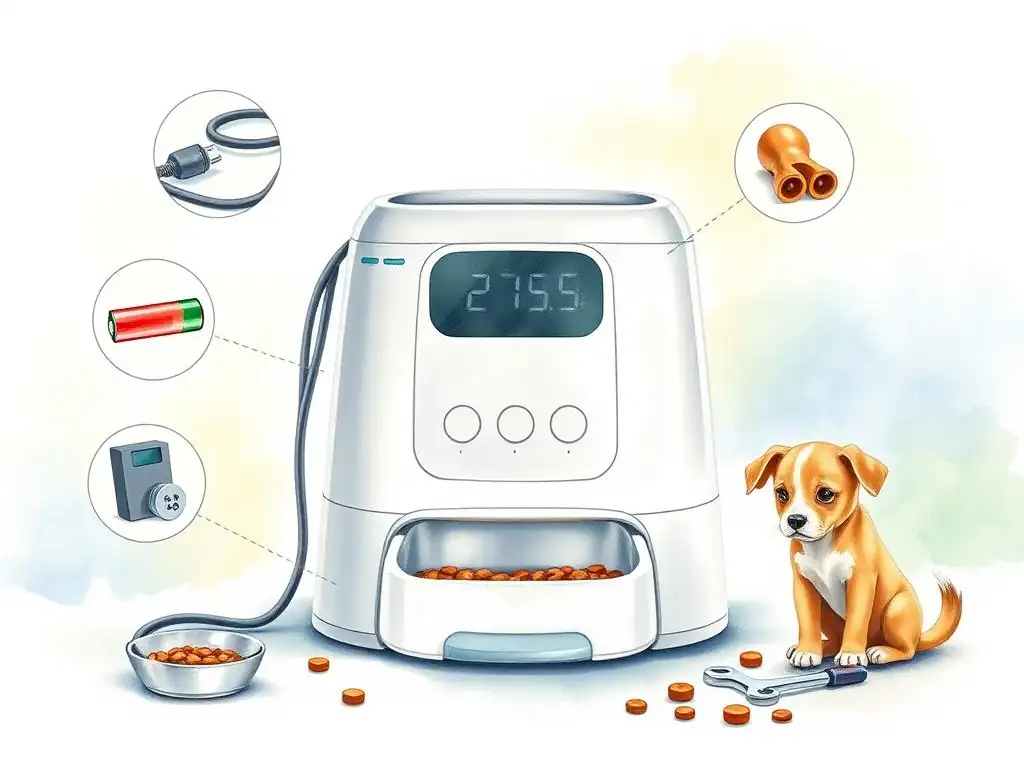
This section delves into practical solutions and preventative maintenance for common smart feeder issues. Understanding how to properly clean and maintain your automatic pet feeder is crucial for ensuring its longevity and preventing malfunctions that can disrupt your pet's feeding schedule. Regular maintenance minimizes the risk of food jams, inaccurate dispensing, and other problems that can compromise your pet's health and nutrition. This guide will provide you with the necessary steps to keep your smart feeder running smoothly and efficiently. A well-maintained smart feeder is a key component in responsible pet ownership, offering convenience and peace of mind.
Cleaning and Maintenance of Automatic Pet Feeders: Preventing Food Jams and Malfunctions
Maintaining a clean and well-functioning smart feeder is paramount for preventing food jams and other malfunctions. Neglecting regular cleaning can lead to mold growth, bacterial contamination, and ultimately, a malfunctioning device. This section offers a practical approach to ensure your smart feeder remains a reliable tool for your pet's care. Remember, preventative maintenance is far easier than complex troubleshooting.
Regular Cleaning Schedule for Optimal Feeder Performance: Recommendations for Cleaning Products
A consistent cleaning schedule is vital. Aim for a weekly deep clean and a daily quick wipe-down. For the weekly deep clean, completely disassemble the feeder (following the manufacturer's instructions), wash all removable parts in warm, soapy water. Avoid harsh chemicals; opt for pet-safe, non-toxic dish soap. Rinse thoroughly and allow all parts to air dry completely before reassembling. For daily cleaning, use a damp cloth to wipe down the exterior and any accessible surfaces.
Here's a sample cleaning schedule:
| Day | Task | Cleaning Product Recommendation |
|---|---|---|
| Daily | Wipe down exterior and accessible surfaces | Damp cloth, pet-safe disinfectant |
| Weekly | Deep clean – disassemble and wash all parts | Warm water, pet-safe dish soap |
| Monthly | Check for wear and tear; replace parts if needed | [Specific information pending] |
Remember to always consult your smart feeder's manual for specific cleaning instructions. Using inappropriate cleaning products can damage the device.
Preventing Food Jams: Choosing the Right Food and Feeder Configuration
The type of pet food you use can significantly impact the likelihood of food jams. Avoid using foods that are overly moist, sticky, or prone to clumping. Dry kibble is generally the best option. Furthermore, the configuration of your feeder plays a crucial role.
Ensure that the food hopper is properly filled, avoiding overfilling which can compress the food and cause jams. Regularly check the dispensing mechanism for any obstructions. Consider the size and shape of your pet's kibble; some feeders are better suited for specific kibble sizes. Choosing the right feeder for your pet's food and dietary needs is a key preventative measure.
Addressing Food Dispensing Issues: Calibration and Portion Control
Inaccurate portion control and dispensing problems are common complaints with smart feeders. This section addresses calibration and adjustment techniques to ensure your pet receives the correct amount of food at each feeding. Accurate portion control is essential for maintaining your pet's healthy weight and preventing overfeeding or underfeeding.
Calibrating Your Smart Feeder for Accurate Portions: Step-by-Step Guide for the WOPET Smart Feeder
Calibration ensures your smart feeder accurately measures and dispenses food. The process varies depending on the brand and model. For the WOPET Smart Feeder, the calibration process typically involves:
- Emptying the hopper: Completely empty the food hopper.
- Resetting the feeder: Locate the reset button (usually on the underside) and press it for several seconds.
- Refilling and testing: Refill the hopper with the recommended amount of food. Dispense a small portion and measure the dispensed amount using a measuring cup.
- Adjusting settings: If the dispensed amount isn't accurate, adjust the settings in the app to fine-tune the portion size. Repeat this process until the dispensing is accurate.
- Regular calibration checks: Perform calibration checks regularly to ensure continued accuracy.
Remember to consult your WOPET Smart Feeder's manual for precise instructions.
Adjusting Portion Sizes: Addressing Overfeeding and Underfeeding Issues with the PetSafe Feed and Treat Smart Feeder
The PetSafe Feed and Treat Smart Feeder offers adjustable portion sizes. If your pet is overeating or under eating, adjust the portion size accordingly through the app or the feeder's control panel. Monitor your pet's weight and adjust portion sizes as needed. Consider factors like your pet's age, breed, activity level, and overall health when determining appropriate portion sizes.
Consult your veterinarian for personalized recommendations on your pet's dietary needs. Regularly weighing your pet helps you to monitor their weight and fine-tune portion sizes for optimal health. Keep detailed records of your pet's feeding schedule and weight to track progress and identify any potential problems. 🐕
Troubleshooting Connectivity Problems: Resolving Wi-Fi and App Issues
Smart feeders rely heavily on a stable internet connection and a functional app for operation. Connectivity issues are among the most common problems reported by users. These problems manifest in various ways, from the feeder failing to connect to your Wi-Fi network initially, to intermittent connectivity drops during operation, preventing scheduled feeding or data uploads.
Successfully troubleshooting these issues requires a systematic approach, addressing both the Wi-Fi network and the app itself. Ignoring even seemingly minor connectivity problems can lead to missed feedings, inaccurate data logging, and ultimately, compromise your pet's well-being. A strong, reliable connection is paramount for optimal smart feeder functionality.
Improving Wi-Fi Signal Strength for Reliable Feeder Connectivity
A weak Wi-Fi signal is a frequent culprit behind connectivity issues with smart feeders. These devices, often placed in less-than-ideal locations (e.g., corners of the kitchen), can struggle to maintain a consistent connection if the Wi-Fi signal is weak or interfered with. Several strategies can improve signal strength. First, consider the physical location of your feeder and your router. Are there walls, appliances (microwaves, refrigerators), or other electronic devices that might interfere with the signal?
Relocating either the feeder or the router can significantly improve connectivity. Secondly, invest in a Wi-Fi extender or mesh network if your home's layout presents significant challenges. These devices can boost the signal strength to areas that are otherwise difficult to reach. Thirdly, check your router's settings. Ensure that the Wi-Fi channel is not overcrowded and that the signal is broadcasting on the 2.4 GHz band (most smart feeders are compatible with this band).
Switching to a less congested channel can reduce interference and improve signal strength. Finally, consider using a wired connection (Ethernet) if feasible and your smart feeder allows it. This guarantees a stable and high-speed connection, eliminating any Wi-Fi-related issues. Remember, a strong Wi-Fi signal is the foundation of reliable smart feeder operation.
Rebooting Your Feeder and Router: A Simple Fix for Many Connectivity Problems
A simple reboot often resolves many connectivity issues. This seemingly basic step can clear temporary software glitches that interfere with the connection. To reboot your smart feeder, unplug it from the power source, wait for at least 30 seconds, and then plug it back in. Similarly, reboot your router by unplugging it from the power source, waiting 30 seconds, and plugging it back in. This process refreshes the network connection, clearing any temporary errors or congestion.
After rebooting both devices, attempt to reconnect your smart feeder to your Wi-Fi network through the app. If the problem persists after rebooting, investigate other potential causes. This simple procedure often resolves issues stemming from minor software glitches or temporary network congestion, preventing unnecessary troubleshooting steps. It's a quick and easy fix that should be attempted before moving on to more complex solutions.
Troubleshooting App-Specific Errors: Contacting Customer Support for WOPET Smart Feeders
If connectivity problems persist even after addressing Wi-Fi issues and rebooting devices, the problem may lie within the app itself. App-specific errors can manifest in various ways, from error messages within the app to an inability to connect to the feeder despite a strong Wi-Fi signal. For WOPET smart feeders, the first step in troubleshooting app-specific errors is to check the app's FAQ section or online support resources.
Many common issues and their solutions are often documented there. If the problem remains unresolved, contacting WOPET customer support directly is recommended. Provide them with detailed information, including the specific error messages you encounter, the steps you've already taken to troubleshoot, and your feeder's model number.
Customer support can provide tailored assistance, possibly remote diagnostics, or guide you through more advanced troubleshooting steps. Remember that efficient communication with customer support is crucial in resolving app-related problems and ensuring the continued smooth operation of your smart feeder. Don't hesitate to seek their help; they are your best resource for resolving complex app-related issues.
Advanced Troubleshooting and Professional Help
This section delves into more complex smart feeder issues and when it's time to seek professional assistance. While the previous sections covered common, easily resolved problems, some malfunctions require expert intervention. A proactive approach to troubleshooting can save you time and frustration, ensuring your pet's consistent access to food.
When to Contact Customer Support: Understanding When Professional Assistance is Necessary
Knowing when to contact customer support is crucial for resolving persistent smart feeder problems. Don't waste time endlessly troubleshooting if the issue persists despite your best efforts. Here are some scenarios indicating you should reach out for professional help:
- Persistent Connectivity Issues: If your smart feeder consistently fails to connect to your Wi-Fi network despite multiple attempts to reset the device and router, contact support. This could indicate a hardware fault or a deeper network configuration problem.
- Malfunctioning Dispensing Mechanism: If the food isn't dispensing correctly – jamming, dispensing too much or too little, or failing entirely – a professional assessment is necessary. This often points to mechanical failure requiring repair or replacement.
- App Errors and Software Glitches: While many app issues can be resolved by updating the app or restarting your device, consistent errors that prevent basic functionality warrant contacting customer support for assistance.
- Power Supply Problems: If the feeder consistently loses power, even when plugged into a working outlet, or if the power adapter appears damaged, contact support immediately. This could indicate a faulty power supply within the feeder itself.
- Physical Damage: Any visible damage to the feeder, such as cracks, broken parts, or water damage, necessitates professional repair. Attempting to fix these issues yourself could void your warranty.
Choosing a Reliable Smart Feeder: Factors to Consider Before Purchase
Proactive measures before purchasing a smart feeder can significantly reduce the likelihood of encountering troubleshooting issues down the line. Choosing a reputable brand with a strong track record of reliability is paramount for a smooth user experience.
Top Rated Smart Feeders with Reliable Connectivity and Performance: Recommended Feeders
Selecting a smart feeder with proven reliability minimizes the need for extensive troubleshooting. Consider the following factors when choosing a smart feeder to reduce future headaches:
| Feature | Importance | Example of a Good Feature |
|---|---|---|
| Connectivity | Robust and reliable Wi-Fi connection | Dual-band Wi-Fi (2.4 GHz and 5 GHz) support |
| App Functionality | User-friendly app with clear instructions | Intuitive interface, detailed settings, and helpful tutorials |
| Build Quality | Durable and sturdy construction | High-quality materials, robust design, and a strong warranty |
| Customer Support | Responsive and helpful customer service | Multiple support channels (phone, email, online chat) |
| Reviews | Positive user reviews and ratings | High ratings on major online retailers and user forums |
Remember, investing in a high-quality smart feeder from a trusted brand significantly reduces the chances of encountering major technical issues, saving you time, money, and worry in the long run. A little research upfront can go a long way in ensuring a positive experience with your smart pet feeder. Always check online reviews and ratings before making a purchase. Look for mentions of reliability and customer support responsiveness. A reliable smart feeder should be a seamless addition to your pet care routine, not a source of constant frustration. 🐶
Contacting WOPET Customer Support: Phone Numbers and Online Resources
[Specific information pending: Insert WOPET customer support phone numbers and website links here. This information should include international numbers if applicable and links to FAQs and online support forums.]
This section should provide comprehensive contact information for WOPET customer support, making it easy for users to reach out for assistance.
Warranty Information and Repair Options for Your Smart Feeder
Understanding your warranty is crucial. [Specific information pending: Insert details regarding the warranty provided by WOPET for their smart feeders. This should include duration, coverage, and procedures for filing a warranty claim.] Knowing your warranty terms allows you to act quickly and efficiently in case of a malfunction. The information should also outline the various repair options available, such as sending the unit for repair or replacement. Always retain your proof of purchase for warranty claims.
Preventing Future Issues: Best Practices for Smart Feeder Ownership
Smart feeder malfunctions can often be avoided with proactive maintenance and responsible ownership. This isn't just about fixing problems; it's about establishing a routine that ensures your pet's consistent access to food and minimizes the risk of technical glitches. A well-maintained smart feeder is a happy pet and a happy owner! Let's delve into some key practices.
One crucial aspect is establishing a regular cleaning schedule. Food residue, dust, and pet hair can accumulate within the feeder mechanism, interfering with its smooth operation. A weekly cleaning, involving a thorough wipe-down of both the internal and external components, is recommended. For more in-depth cleaning, consult your feeder's manual for specific instructions. Remember to always unplug the feeder before cleaning to prevent electrical hazards. Neglecting this simple step can lead to costly repairs or even replacement. Think of it like regular car maintenance; small preventative measures save you big headaches down the line.
Beyond cleaning, monitoring your pet's food consumption is vital. Observe if the feeder is dispensing the correct amount of food, and check for any signs of food jamming or dispensing errors. Early detection of these issues can prevent larger problems from developing. Pay attention to the feeder's alerts and notifications; they are often early warning signs of potential problems. Don't ignore them! A proactive approach to monitoring your pet's feeding habits, combined with attentive observation of the feeder itself, can significantly reduce the need for advanced troubleshooting.
Regular Software Updates: Maintaining Optimal Feeder Functionality
Smart feeders, like smartphones, rely on software updates for optimal performance and bug fixes. These updates often address known issues, improve functionality, and enhance security. Ignoring these updates can lead to compatibility problems, performance degradation, and even security vulnerabilities. Think of it like this: an outdated operating system on your phone can make it slow and prone to crashes; the same principle applies to your smart feeder.
Regularly checking for and installing software updates should become a standard part of your smart feeder maintenance routine. The frequency of updates varies depending on the manufacturer and the specific feeder model, but generally, checking for updates every few weeks is a good practice. Most smart feeder apps will notify you when an update is available. Pay close attention to these notifications and promptly install the updates.
This simple step significantly minimizes the likelihood of encountering software-related malfunctions and ensures your feeder operates at peak efficiency. Remember, a consistently updated feeder is a reliable feeder. Furthermore, these updates frequently improve the accuracy of the feeder's monitoring capabilities, providing you with more precise data on your pet's eating habits.
Understanding Your Feeder's Specifications: Avoiding Common User Errors
Many smart feeder issues stem from user errors, often caused by a lack of understanding of the device's specifications and limitations. Before operating your smart feeder, carefully read the user manual and familiarize yourself with its capabilities and restrictions. This seemingly simple step is crucial in preventing numerous problems.
For example, some feeders have limitations on the type of food they can dispense. Using the wrong type of food, such as excessively large kibble or overly sticky treats, can lead to jamming or malfunctions. Similarly, understanding the feeder's capacity is essential to avoid overfilling, which can also cause problems. Paying attention to the recommended food type and portion sizes outlined in the manual will significantly reduce the chances of encountering these common issues.
Ignoring these specifications can lead to unnecessary repairs or replacements. In essence, understanding your feeder’s limitations is just as important as understanding its capabilities. Proper usage, guided by the manufacturer's instructions, is the cornerstone of preventing many common user errors. Take the time to fully understand your smart feeder; it will save you time, money, and frustration in the long run.
Frequently Asked Questions (FAQ) about Smart Feeder Troubleshooting

This section addresses common issues pet owners experience with smart feeders, providing practical troubleshooting steps. We'll cover everything from unusual noises to pets refusing to use the device, and even how to perform a factory reset. This smart feeder troubleshooting guide aims to help you get your device back up and running smoothly, ensuring your pet receives consistent and healthy meals.
My Smart Feeder is Making Strange Noises - What Should I Do?
Unusual noises emanating from your smart feeder can indicate several problems. These sounds might range from grinding or clicking to whirring or buzzing. Before panicking, let's systematically investigate the potential causes.
First, check the food supply. Is the food bowl empty? A low food level can cause the feeder's mechanism to struggle, leading to grinding or clicking noises. Refilling the bowl is often the simplest solution.
Next, inspect the dispensing mechanism. Look for any obstructions, such as clumps of food, foreign objects, or pet fur that might be jamming the gears or auger. Carefully remove any debris you find. If you notice any damage to the mechanism itself, contact the manufacturer for support or consider repair/replacement.
Consider the feeder's placement. Is it on a stable surface? Vibrations from an unstable surface might amplify any internal noises. Try repositioning the feeder onto a sturdy, level surface.
Finally, check the power source. Fluctuations in power can sometimes cause motors to make unusual sounds. Ensure the feeder is properly plugged in and that the power outlet is functioning correctly. If the problem persists after these checks, consider contacting customer support for your specific smart feeder model – they may have model-specific troubleshooting advice. Remember to always consult your smart feeder's manual for detailed instructions and safety precautions.
My Pet Isn't Eating From the Smart Feeder - What Could Be Wrong?
Even with a fully functional smart feeder, your pet might refuse to eat from it. Several factors can contribute to this, and addressing them requires patience and observation.
Firstly, introduce the feeder gradually. Don't suddenly switch your pet to the smart feeder. Instead, start by placing a small amount of their usual food in the bowl and gradually increase the quantity over several days. This helps your pet adjust to the new feeding method and the unfamiliar device.
Secondly, consider the food type. Some pets are picky eaters! Ensure the food dispensed by the smart feeder is the same type and quality your pet is accustomed to. A change in food texture or brand might be the reason for their reluctance.
Thirdly, check the portion size. The smart feeder might be dispensing portions that are too large or too small for your pet's needs. Adjust the portion size settings in your feeder's app to match your pet's dietary requirements.
Fourthly, examine the feeder's placement. Is it in a quiet, accessible location, away from stressful areas or loud noises? A stressful environment might discourage your pet from approaching the feeder. Try relocating it to a more comfortable spot.
Finally, rule out health issues. If your pet’s refusal to eat persists despite these adjustments, consult your veterinarian. A sudden change in eating habits can sometimes indicate an underlying health problem. Always prioritize your pet's well-being.
How Do I Reset My Smart Feeder to Factory Settings?
Resetting your smart feeder to factory settings can resolve various software or connectivity issues. This process typically erases all customized settings, including portion sizes, feeding schedules, and Wi-Fi credentials. Before proceeding, ensure you have access to the manufacturer's instructions for your specific model, as the steps may vary.
Generally, the process involves locating a small reset button on the feeder itself (often concealed beneath a cover or flap). You'll likely need a small, pointed object (such as a paperclip) to press and hold this button for a specified duration (usually 5-10 seconds).
After the reset is complete, you'll need to re-configure the smart feeder through its companion app. This involves setting up your Wi-Fi network connection again and customizing feeding schedules and portion sizes. This is a great opportunity to review and optimize your pet's feeding plan! Remember to carefully follow the instructions in your app and manual to avoid any further complications. If you encounter difficulties, contacting the manufacturer's customer support is always a good option. They can provide specific guidance and troubleshoot any problems you may encounter during the reset and re-configuration process.
Frequently Asked Questions
What should I do if my smart feeder isn't dispensing food?
This could be due to several reasons: low battery, food jam, or a connectivity issue. Check the battery, inspect the food hopper for blockages, and ensure your Wi-Fi connection is stable.
My smart feeder app isn't connecting. What's wrong?
First, check your internet connection and ensure your phone's Bluetooth and Wi-Fi are enabled. Then, try restarting your router and the feeder itself. If problems persist, contact customer support.
How do I clean my smart feeder?
Regular cleaning is crucial. Unplug the feeder, remove the food hopper and clean all parts thoroughly with a damp cloth. Avoid using harsh chemicals. Refer to your specific feeder's manual for detailed instructions.
My pet is making a mess around the smart feeder. Any tips?
Consider placing the feeder on a stable surface and potentially using a mat or tray underneath to catch spills. Adjust the portion size to prevent excessive scattering of food.
The smart feeder isn't recognizing my pet. How can I fix this?
Ensure your pet's microchip is correctly registered with the feeder's system if applicable. If using a feeder with weight sensors, make sure your pet is the correct weight for the settings. Consult your feeder's manual for specific troubleshooting steps.
Final Reflection: Nourishing the Future, One Smart Feeder at a Time
The seamless integration of technology into pet care, exemplified by smart feeders, is no longer a futuristic fantasy; it's a present-day reality. However, as with any technological advancement, challenges arise, requiring proactive troubleshooting and a deeper understanding of these sophisticated devices. This guide has aimed to equip pet owners with the knowledge to navigate these complexities and ensure the continued well-being of their beloved companions.
The evolution of pet care, driven by technological innovation, underscores our growing commitment to providing the best possible lives for our animals. This journey, however, isn't without its bumps in the road. Successfully troubleshooting a malfunctioning smart feeder isn't just about fixing a technical glitch; it's about reinforcing the bond we share with our pets and ensuring their consistent access to nourishment. The best things in life are free. The second best are very, very expensive.
– this rings true for the advanced technology we use to care for our pets, highlighting the importance of understanding and maintaining these tools.
Now, consider the knowledge you've gained. Think about how this understanding can empower you to not only troubleshoot your own smart feeder but also to approach future technological challenges with confidence and resourcefulness. You are now equipped to be a proactive and informed pet owner, ensuring your furry friend receives the care they deserve, both technologically and emotionally. Embrace the opportunity to learn, adapt, and continue to grow in your understanding of this evolving landscape of pet care.
Unleash Your Pet's Happy Mealtime!
Thanks for learning about troubleshooting your smart feeder! We hope you're now confident in keeping your furry friend well-fed. Ready to move forward?
- Prioritize a thorough system check: Address any potential problems using our guide. This ensures consistent meal delivery and happy pets.
- Share your experience: Let our community know your successes and challenges! Your feedback can help others. Join the discussion in the comments below.
- Explore advanced features: Many smart feeders offer customizable settings beyond the basics. Personalize your pet's feeding schedule for optimal results.
What feeding strategy will you use now that you're a smart feeder expert?