
How to Set Up and Use a GPS Pet Tracker: A StepbyStep Guide


Welcome to PetCareWorld, your ultimate guide to a happier, healthier life for your beloved companion! Are you ready to ensure your pet's safety and peace of mind? Then dive into our comprehensive GPS pet tracker setup guide, a step-by-step walkthrough designed to empower you with the technology to keep track of your furry, feathered, or scaled friend. Discover how easy it is to harness the power of GPS tracking and never worry about losing your pet again. Let's get started!
-
Choosing the Right GPS Pet Tracker for Your Needs
- Understanding Different GPS Tracker Technologies: GPS, Cellular, and Hybrid Systems
- Key Features to Consider: Battery Life, Range, Accuracy, Water Resistance, and App Features
- Top GPS Pet Tracker Brands and Models: Fi Series 2, Whistle Go Explore, Tractive GPS
- Budget Considerations for GPS Pet Trackers
-
Step-by-Step GPS Pet Tracker Setup Guide
- Step 1: Unboxing Your GPS Pet Tracker and Verifying Components
- Step 2: Charging Your GPS Pet Tracker to Full Capacity
- Step 3: Downloading and Installing the Tracker App (iOS and Android)
- Step 4: Creating an Account and Registering Your Device
- Step 5: Pairing Your GPS Pet Tracker with the Mobile Application
- Step 6: Attaching the GPS Tracker to Your Pet's Collar Securely
- Step 7: Testing the GPS Tracker's Functionality and Signal Strength
- Step 8: Configuring Geo-Fencing and Notification Preferences
-
Using Your GPS Pet Tracker Effectively
- Monitoring Your Pet's Location in Real-Time
- Understanding the Map Interface and Navigation Tools
- Utilizing Geo-Fencing to Create Safe Zones for Your Pet
- Receiving and Interpreting GPS Pet Tracker Notifications and Alerts
- Troubleshooting Common GPS Pet Tracker Issues: Low Battery, Weak Signal, App Errors
- Extending Battery Life of Your GPS Pet Tracker
- Regular Maintenance and Care of Your GPS Pet Tracker
- Keeping Your Pet Safe with GPS Tracking Technology
- Frequently Asked Questions
- Final Reflection: Navigating the Connected World with Our Furry Friends
- Unlock Your Pet's Adventures: Take Action Today!
Choosing the Right GPS Pet Tracker for Your Needs
Losing your beloved pet is a terrifying experience. The anxiety and uncertainty can be overwhelming. This comprehensive guide will walk you through the process of setting up and using a GPS pet tracker, providing you with the knowledge and confidence to keep your furry, feathered, or scaled friend safe.
We'll cover everything from selecting the right tracker for your pet's specific needs and lifestyle to understanding the different technologies available and mastering the setup process. By the end, you'll be equipped to confidently monitor your pet's location and ensure their well-being, minimizing the stress associated with potential escapes or wanderings. This guide aims to be your ultimate resource for navigating the world of GPS pet trackers, helping you make informed decisions and ultimately contribute to a safer and more secure life for your cherished companion.
We'll focus specifically on the practical aspects of setup and usage, providing a clear, step-by-step approach to get you started. Let's dive in!
Understanding Different GPS Tracker Technologies: GPS, Cellular, and Hybrid Systems
GPS pet trackers utilize various technologies to pinpoint your pet's location. Understanding these differences is crucial for selecting the right device. Let's break down the three main types:
- GPS Trackers: These devices rely solely on GPS satellites for location data. They are generally less expensive but have limitations. They require a clear line of sight to satellites, meaning accuracy can be affected by dense foliage, buildings, or other obstructions. They also typically have a shorter battery life compared to cellular trackers.
- Cellular Trackers: These trackers use cellular networks (like your phone) to transmit location data. This allows for greater range and accuracy, even in areas with poor GPS signal. However, they usually require a monthly subscription fee for cellular service.
- Hybrid Trackers: These combine GPS and cellular technologies, providing the best of both worlds. They offer excellent range and accuracy while leveraging GPS for longer battery life when a cellular signal isn't necessary. These trackers typically also come with a monthly subscription fee.
Choosing the right technology depends on your pet's lifestyle and your budget. For a cat that primarily stays indoors, a basic GPS tracker might suffice. However, for an adventurous dog who loves exploring, a cellular or hybrid tracker would be a more reliable choice.
Key Features to Consider: Battery Life, Range, Accuracy, Water Resistance, and App Features
Beyond the core technology, several key features differentiate GPS pet trackers. Consider these factors when making your decision:
| Feature | Importance | Considerations |
|---|---|---|
| Battery Life | Crucial for consistent tracking; longer life means less frequent charging. | Look for trackers with at least [Battery Life data pending] hours of battery life. |
| Range | Determines how far your pet can roam before the signal weakens. | Consider your pet's typical range and choose a tracker with a suitable range. |
| Accuracy | How precisely the tracker pinpoints your pet's location. | Higher accuracy means greater peace of mind. Cellular trackers generally offer better accuracy. |
| Water Resistance | Essential for pets who love swimming or playing in the rain. | Look for a tracker with an appropriate water resistance rating (e.g., IPX7). |
| App Features | Ease of use, map features, activity tracking, geofencing, and alerts. | Evaluate app features based on your preferences and needs. |
Don't underestimate the importance of a user-friendly app. A well-designed app can significantly enhance your tracking experience. Look for features like real-time location updates, historical location tracking, geofencing alerts (notifications when your pet leaves a designated area), and activity monitoring.
Top GPS Pet Tracker Brands and Models: Fi Series 2, Whistle Go Explore, Tractive GPS
The market offers a wide range of GPS pet trackers. Three popular brands consistently receive high praise:
- Fi Series 2: Known for its long battery life and sleek design. [Specific Fi Series 2 features and specs pending]
- Whistle Go Explore: A robust tracker offering excellent range and accuracy. [Specific Whistle Go Explore features and specs pending]
- Tractive GPS: A popular choice offering a range of features and subscription options. [Specific Tractive GPS features and specs pending]
Remember to research individual models within these brands to find the best fit for your pet and your budget. Read reviews and compare features before making a purchase. Consider factors like size and weight, ensuring the tracker is comfortable for your pet to wear. 🐾
Budget Considerations for GPS Pet Trackers
Choosing a GPS pet tracker involves careful consideration of your budget. The market offers a wide range of trackers, from budget-friendly options to high-end devices with advanced features. Understanding your financial limitations is crucial in narrowing down your choices and finding a tracker that effectively meets your needs without breaking the bank.
The price of GPS pet trackers varies significantly depending on several factors. These include the tracker's features (such as GPS accuracy, battery life, range, and additional functionalities like activity monitoring or geofencing), the brand reputation, and the retailer. Basic trackers with limited features might cost around [price range pending] while advanced models with longer battery life, superior GPS accuracy, and additional features can cost upwards of [price range pending].
Some trackers also require monthly subscription fees for data services, adding to the overall cost of ownership. This recurring expense should be factored into your budget alongside the initial purchase price.
Before making a purchase, it's essential to weigh the features against the price. Ask yourself: Do you really need a tracker with real-time location updates every few seconds, or would a tracker that updates every few minutes suffice? Do you need features like activity monitoring or geofencing?
Answering these questions honestly can help you avoid overspending on features you may not fully utilize. Consider creating a budget specifically for the tracker and its associated costs (including any potential subscription fees) to ensure you choose a device that fits comfortably within your financial plan. Remember, a less expensive tracker might still provide adequate tracking capabilities for your needs, especially if you primarily use it for occasional checks or to ensure your pet's safety within a confined area.
Prioritizing essential features and setting a realistic budget will help you find the perfect GPS pet tracker without compromising your financial stability. Don't forget to compare prices from different retailers to find the best deals and potentially save money. Reading reviews from other pet owners can also provide valuable insights into the value and performance of different trackers at various price points.
Step-by-Step GPS Pet Tracker Setup Guide
This section provides a detailed, step-by-step guide on setting up and using a GPS pet tracker. We'll cover everything from unboxing to downloading the app and ensuring optimal functionality, empowering you to keep track of your beloved pet with confidence. This guide is designed to work with most GPS pet trackers on the market, but always refer to your specific device's manual for any unique instructions.
Step 1: Unboxing Your GPS Pet Tracker and Verifying Components
Carefully open the packaging of your new GPS pet tracker. Inside, you should find the following components:
- The GPS tracking device itself. This is usually a small, lightweight device designed to be attached to your pet's collar.
- A charging cable (usually USB). The type of connector may vary depending on the brand.
- A user manual. This is crucial for any specific instructions or troubleshooting.
- Possibly a collar strap or attachment. Some trackers come with their own collar, while others require you to use your pet's existing collar.
- A SIM card (in some cases). Some trackers require a separate SIM card with a data plan. Check your device's specifications.
Before proceeding, meticulously verify that all listed components are present. If anything is missing, contact the manufacturer or retailer immediately. A missing component could significantly hinder the setup process. Take photos of the contents of the box for later reference if needed. Careful inspection is key to a smooth setup experience. Don't rush this step!
Step 2: Charging Your GPS Pet Tracker to Full Capacity
Before using your new GPS pet tracker, it's essential to fully charge the device's battery. This ensures optimal functionality and accurate tracking from the moment you activate it. A low battery can lead to inaccurate location data or even complete device failure.
- Locate the charging port on your GPS pet tracker. This is usually found on the side or bottom of the device.
- Connect the charging cable to the device and then to a power source, such as a USB port on your computer or a wall adapter.
- Observe the charging indicator light. This light typically illuminates while the device is charging and turns off once fully charged. The charging time varies depending on the device's battery capacity and the power source. Refer to your user manual for the estimated charging time.
- Allow the device to charge to 100% before proceeding to the next step. This ensures maximum performance and avoids any potential issues related to low battery power. Patience is key here; a fully charged battery is crucial for reliable tracking.
Charging your GPS pet tracker completely before initial use is crucial for establishing a stable connection and ensuring accurate location data.
Step 3: Downloading and Installing the Tracker App (iOS and Android)
The GPS pet tracker's functionality is heavily reliant on a companion mobile application. This app allows you to monitor your pet's location, set up geofences, receive notifications, and access other features. The app is usually available on both iOS and Android platforms.
- Locate the app store for your device (App Store for iOS or Google Play Store for Android).
- Search for the app associated with your GPS pet tracker brand. The app name is usually clearly indicated in your device's documentation.
- Download and install the application. Make sure you're downloading the official app from the reputable app store to avoid malicious software.
- Once installed, open the app and follow the on-screen instructions to create an account and register your device. You'll likely need to enter the device's ID number, which can be found on the device itself or in its packaging.
- The app will guide you through the pairing process, connecting your phone to the GPS pet tracker. This usually involves enabling Bluetooth or Wi-Fi on your phone and following the app's prompts.
After successfully pairing your device with the app, you should be able to view your pet's location on a map. Remember to consult your app's help section or user manual for any specific instructions or troubleshooting. Proper app installation and setup is the final key to successful GPS pet tracking. 🐕🦺
Step 4: Creating an Account and Registering Your Device
Before you can start tracking your pet's location, you need to create an account with the GPS tracker's corresponding mobile application. This usually involves downloading the app from your smartphone's app store (Google Play or Apple App Store), depending on your device's operating system. The process typically requires providing an email address and creating a password. Some applications may also request additional information, such as your name, phone number, and pet's details (name, breed, age). Remember to choose a strong password to protect your account and your pet's data.
After account creation, you'll need to register your GPS pet tracker. This usually involves entering the device's unique ID number, which can be found on the device itself or in its packaging. The application will then verify the device and add it to your account. This step is crucial because it links your pet's tracker to your profile, allowing you to access its location data and manage its settings.
Make sure to carefully follow the on-screen instructions provided by the app; any errors during registration could prevent the tracker from working correctly. Finally, many apps allow for profile customization, including adding a photo of your pet for easier identification. Take advantage of this feature for a more personalized experience.
Step 5: Pairing Your GPS Pet Tracker with the Mobile Application
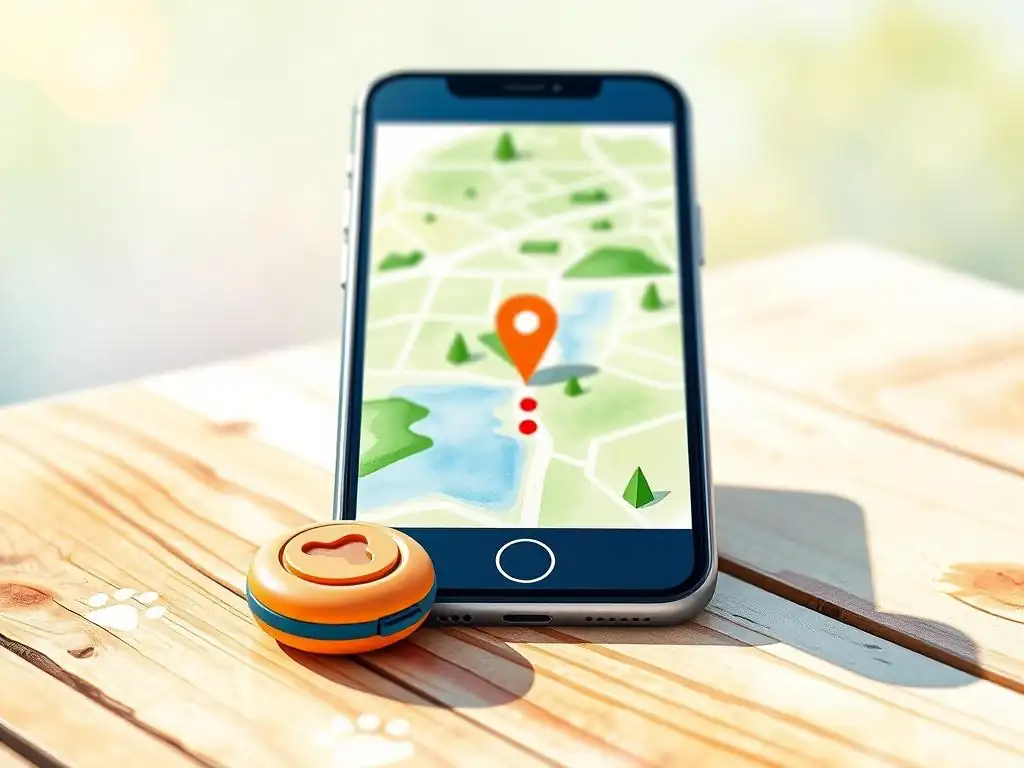
Pairing your GPS pet tracker with the mobile application is the next critical step in the setup process. This establishes a connection between the device and your smartphone, allowing for real-time data transmission. The pairing process varies slightly depending on the brand and model of your GPS tracker, but it generally involves enabling Bluetooth on your smartphone and then following the instructions within the mobile application.
The app will usually guide you through a series of steps, such as placing the tracker within a certain range of your phone and confirming a pairing code displayed on both the app and the tracker's screen (if applicable). Some trackers might use QR codes for a more streamlined pairing process. Ensure your smartphone's Bluetooth is turned on and that you have a stable internet connection during this process, as this ensures a smooth and successful pairing.
If you encounter any issues, consult the troubleshooting section of the app or the manufacturer's website for assistance. Remember to maintain a close proximity between the tracker and your phone during the initial pairing to ensure a successful connection.
Step 6: Attaching the GPS Tracker to Your Pet's Collar Securely
Once your GPS tracker is paired with the app, it's time to attach it to your pet's collar. This step requires careful consideration to ensure both the tracker's functionality and your pet's comfort and safety. First, select a collar that is appropriately sized for your pet. The collar should be sturdy enough to hold the tracker securely without being too tight or too loose. A collar that is too loose might allow the tracker to fall off, while one that's too tight could cause discomfort or even injury.
When attaching the tracker, ensure it's positioned securely and comfortably. Some trackers come with clips or straps specifically designed to attach to collars, while others might require the use of additional straps or adapters. Always check the tracker's manufacturer instructions for specific attachment guidelines. Avoid placing the tracker in a location that could be easily damaged or interfere with your pet's movement.
After attaching the tracker, gently test it by slightly pulling on the collar to ensure it's firmly secured. Regularly check the tracker's placement to make sure it remains securely fastened to your pet's collar. A well-secured tracker ensures reliable tracking and prevents loss. Consider using a backup collar with a similar tracker attachment point for added security.
Step 7: Testing the GPS Tracker's Functionality and Signal Strength
After successfully attaching the GPS tracker to your pet's collar and completing the pairing process, it's crucial to thoroughly test its functionality and signal strength. This ensures the device is working correctly and provides reliable location data. Begin by taking your pet for a short walk in an open area, away from tall buildings or dense foliage, which can interfere with GPS signals.
Monitor the tracker's location updates on your smartphone app in real-time. Note the frequency of updates – a good tracker should provide relatively frequent location pings, ideally every few seconds to a minute, depending on the device's settings and the strength of the GPS signal.
Pay close attention to the accuracy of the location data displayed. Minor discrepancies are normal, but significant deviations could indicate a problem with the GPS module itself or interference from the environment. If you notice consistent inaccuracies, try moving to a different location with better GPS reception.
Experiment with moving closer to and further away from buildings and trees to observe how the signal strength affects the accuracy and frequency of location updates. Many apps will provide a visual representation of signal strength, typically represented by bars or a percentage. A strong signal usually guarantees more frequent and accurate location data.
If the signal is consistently weak, even in open areas, you may need to contact the device's manufacturer for troubleshooting assistance or consider adjusting the placement of the GPS tracker on your pet's collar for optimal signal reception. Remember to document your findings; this information will be valuable if you need to contact customer support for any issues. Accurate and reliable location data is paramount for the effective use of your GPS pet tracker.
Step 8: Configuring Geo-Fencing and Notification Preferences
Geo-fencing is one of the most valuable features of a GPS pet tracker. This allows you to set up virtual boundaries on a map, defining safe zones for your pet. The app will then send you notifications if your pet leaves these designated areas. To configure geo-fences, open your tracker's app and locate the geo-fencing settings.
Most apps allow you to create multiple geo-fences, such as your home, your yard, or a nearby park. You'll need to define the shape and size of each fence using your finger to draw on the map interface. Be precise when defining the boundaries to prevent false alarms. A slightly larger fence is preferable to ensure that your pet has a small margin of error before triggering a notification.
Beyond geo-fences, you can also customize notification preferences. These preferences determine what types of alerts you receive. Options often include low battery alerts, escape alerts (triggered when your pet leaves a geo-fenced area), activity alerts (which can track your pet's activity levels), and inactivity alerts (which can help you identify if your pet is injured or unwell). You can often adjust the sensitivity of these notifications.
For example, you might set escape alerts to only trigger if your pet stays outside a geo-fence for a certain amount of time, preventing false alarms caused by brief excursions. Carefully review and adjust the notification settings to suit your specific needs and preferences. Ensure that your notification settings are not overly sensitive, as this could lead to an overwhelming number of alerts.
A well-configured notification system will provide timely and relevant information without causing unnecessary anxiety. Regularly review and adjust these settings as your pet's routine and your own preferences may change over time. Remember, the goal is to create a system that provides peace of mind without being intrusive.
Using Your GPS Pet Tracker Effectively
This section delves into the practical application of your GPS pet tracker, moving beyond the initial setup and into the day-to-day use that maximizes its benefits for your pet's safety and well-being. Effective use requires understanding the nuances of the device and its accompanying software. We'll explore key features to ensure you're getting the most out of your investment in pet tracking technology. Remember, responsible pet ownership often involves leveraging technology to enhance your pet's safety and security.
Monitoring Your Pet's Location in Real-Time
Real-time location tracking is the core function of a GPS pet tracker. This feature provides immediate updates on your pet's whereabouts, offering peace of mind, especially for pets prone to wandering or escape. Most trackers utilize a combination of GPS, cellular, and sometimes Wi-Fi signals to pinpoint your pet's position. The accuracy of this location data varies depending on the signal strength and environmental factors. Dense foliage or buildings can sometimes interfere with signal reception, resulting in slightly less precise location information.
To monitor your pet's location effectively, ensure your device has a strong cellular signal. Consider the tracker's battery life; low battery can significantly impact the frequency and accuracy of location updates. Many trackers offer customizable update frequencies; you can choose between frequent updates for high-precision tracking or less frequent updates to conserve battery. Frequent updates will drain the battery faster, so weigh the need for constant location data against battery longevity. Understanding these trade-offs is key to optimal tracker usage.
For example, during a walk in a park, you might opt for more frequent updates. However, when your pet is at home, less frequent updates might suffice. This approach balances the need for real-time tracking with the need to extend the tracker's battery life. The app interface usually allows for adjustments to update frequency. Check your specific tracker's manual for details on how to customize the update settings.
Navigating the map interface on your tracker's companion app is crucial for effectively monitoring your pet's location. Most apps provide a clear, intuitive map display with various features designed to enhance user experience. Common features include:
- Zoom controls: Allow you to adjust the map's scale to view your pet's location in detail or a broader context.
- Satellite view: Offers a more visual representation of the terrain, which can be helpful in identifying landmarks and your pet's surroundings.
- Street view: Provides a street-level perspective of your pet's location, useful for pinpointing their exact position.
- History tracking: Allows you to review your pet's movements over a specific period, providing valuable insights into their daily routines and potential escape routes.
- Navigation tools: Some apps integrate navigation tools, allowing you to get directions to your pet's location using GPS. This is especially useful in emergencies.
Understanding these map features is essential for quick and efficient response times should your pet wander off. Familiarize yourself with the app's interface and practice using its navigation tools before an emergency arises. This proactive approach will ensure you're prepared to quickly locate your pet if needed.
Utilizing Geo-Fencing to Create Safe Zones for Your Pet
Geo-fencing is a powerful feature that allows you to set up virtual boundaries on the map. When your pet leaves these predefined zones, you receive an immediate alert. This proactive notification system is a valuable tool for preventing escapes and increasing your pet's safety. Consider setting up geo-fences around your home, yard, or frequently visited areas.
The size and shape of your geo-fences are usually customizable, allowing you to tailor them to specific locations. It's crucial to test your geo-fences to ensure they are accurately defined and reliably trigger alerts. False alerts can be frustrating, so precise setup is key. Many apps allow you to adjust the sensitivity of the geo-fence alerts, minimizing the risk of false positives.
For example, you might create a geo-fence around your backyard. If your pet leaves this area, you will receive a notification on your phone, allowing you to intervene quickly. Similarly, you could set up a geo-fence around a park you frequently visit with your pet. This provides an extra layer of safety, ensuring you're alerted if your pet wanders beyond the designated area. Geo-fencing is a crucial aspect of preventative pet safety and responsible pet ownership. It combines technology with responsible pet care to enhance their safety and security.
Receiving and Interpreting GPS Pet Tracker Notifications and Alerts
Most GPS pet trackers utilize a mobile application to relay information to the owner. These apps typically send notifications and alerts based on pre-set parameters you configure. Understanding these notifications is crucial for effective use of your tracker. For instance, you might set up a "safe zone" geofence around your home. If your pet leaves this zone, the app will send an immediate alert to your phone, often with a map showing your pet's last known location.
Similarly, you can receive alerts if the tracker's battery is low, or if the GPS signal is weak. The interpretation of these alerts depends on the specific app and its features. Some apps provide detailed information about the signal strength, battery percentage, and the accuracy of the GPS location. Others offer simpler, less detailed notifications. Always familiarize yourself with your specific app's notification system to understand the meaning of each alert.
Regularly checking the app, even without alerts, can help you monitor your pet's location and activity patterns. This proactive approach can help you identify potential problems early on, such as a pet escaping or becoming lost. Consider enabling notification sounds or vibrations to ensure you don't miss crucial alerts, especially if you have a tendency to keep your phone on silent. Remember, prompt response to alerts is vital for the safety and well-being of your pet.
Troubleshooting Common GPS Pet Tracker Issues: Low Battery, Weak Signal, App Errors
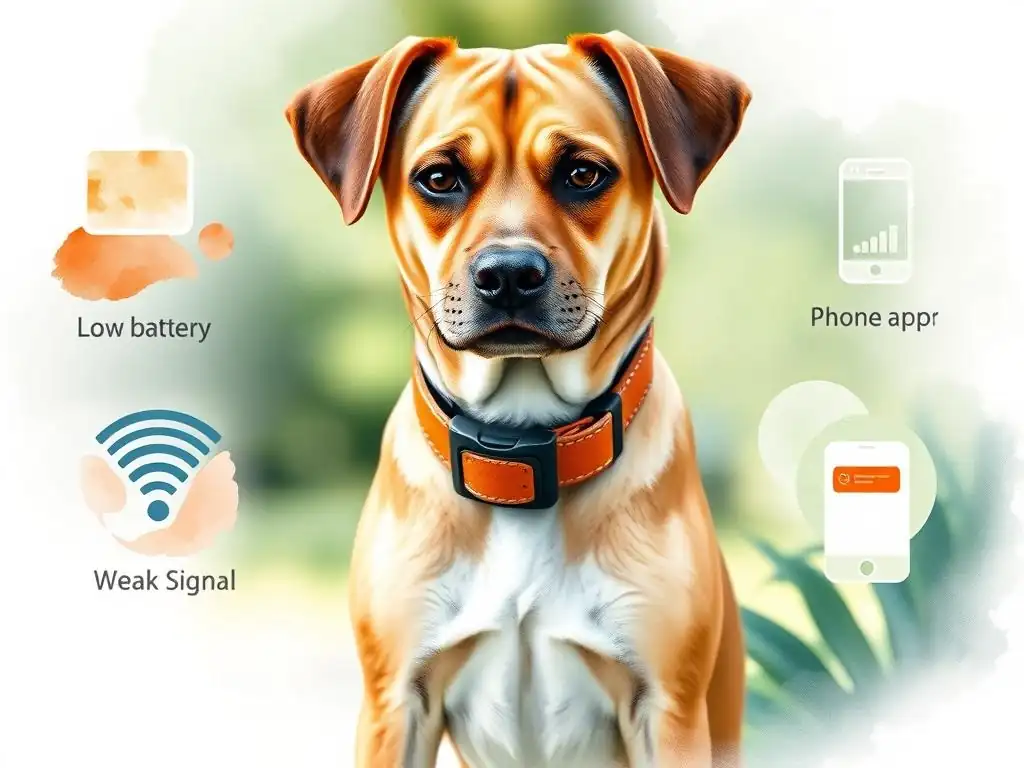
GPS pet trackers, like any electronic device, can experience technical difficulties. Understanding how to troubleshoot common issues can save you time and stress. A common problem is a low battery. Most trackers will alert you when the battery is getting low, giving you time to recharge it. However, if you receive a low battery alert and can't immediately recharge the device, try to locate your pet quickly to ensure their safety.
Weak GPS signals are another common issue, especially in areas with dense foliage, tall buildings, or poor cellular reception. If your tracker shows an inaccurate location or no location at all, try moving to an open area with a clear view of the sky. Sometimes, the problem isn't with the tracker itself but with the mobile application. App errors can manifest in various ways, such as the app crashing, failing to connect to the tracker, or displaying incorrect information.
Try restarting your phone, checking for app updates, and ensuring you have a stable internet connection. If the problem persists, contact the tracker's customer support for assistance. Keeping your tracker's firmware updated can also prevent many problems and ensure optimal performance. Regularly reviewing the troubleshooting section of your tracker’s manual or the app's help section can be beneficial in resolving minor issues before they escalate.
Extending Battery Life of Your GPS Pet Tracker
Maximizing the battery life of your GPS pet tracker is essential for continuous monitoring of your pet's location. Several strategies can significantly extend battery life. Firstly, avoid unnecessary use of features that consume more power. For example, some trackers offer features like activity tracking or real-time location updates at very frequent intervals. If you don't need these features constantly, disable them to conserve battery.
Secondly, ensure the tracker is properly fitted on your pet. A loose tracker might lead to increased power consumption due to the device attempting to constantly re-establish a signal. Similarly, ensure the device is not exposed to extreme temperatures, as both extreme heat and cold can negatively affect battery performance. Thirdly, consider the tracker's settings. Some trackers offer different power-saving modes.
Selecting a mode that balances tracking accuracy with battery life can improve longevity. Finally, remember to charge your tracker regularly. Don't let the battery drain completely before recharging, as this can shorten its lifespan. Following these simple steps can ensure your GPS pet tracker remains functional for extended periods, providing you with the peace of mind that comes with knowing your pet's whereabouts. Always consult your tracker's user manual for specific battery life recommendations and charging instructions tailored to your device model.
Regular Maintenance and Care of Your GPS Pet Tracker
Regular maintenance is crucial for ensuring your GPS pet tracker functions optimally and provides accurate location data for an extended period. Neglecting maintenance can lead to decreased battery life, inaccurate readings, and ultimately, the failure of the device. This can be particularly stressful during emergencies when you need reliable tracking information the most. Therefore, a proactive approach to maintenance is essential.
One of the most important aspects of maintenance is keeping the device clean. Pet trackers are often exposed to the elements, and dirt, mud, and other debris can accumulate, potentially interfering with the GPS signal or damaging the device's components. Regularly wipe down the tracker with a soft, damp cloth.
Avoid using harsh chemicals or abrasive cleaners, as these can damage the device's casing or internal components. For more stubborn dirt, consider using a slightly damp cloth with a mild soap solution, ensuring you thoroughly rinse and dry the tracker afterward. Remember to always disconnect the tracker from its charging cable before cleaning.
Battery care is another critical aspect of GPS pet tracker maintenance. To maximize battery life, follow the manufacturer's recommendations regarding charging. Avoid overcharging, which can degrade the battery's performance over time. Similarly, avoid letting the battery completely drain, as this can also negatively affect its lifespan. Regularly check the battery level and recharge it as needed, aiming to keep it at an optimal charge level. Consider investing in a high-quality charging cable to ensure efficient and safe charging. The charging cable itself should also be regularly inspected for any signs of damage or wear and tear.
Finally, regularly check the tracker's functionality. This involves verifying that the GPS signal is strong and accurate, and that the device is correctly transmitting location data to your smartphone or other connected device. Most GPS pet trackers have a built-in diagnostic mode or an accompanying app that allows you to monitor the device's performance. Utilize these tools to identify and address any potential issues promptly.
If you notice any irregularities in the tracker's functionality, consult your device's manual or contact the manufacturer's customer support for assistance. Proactive monitoring can prevent major problems and ensure your pet's safety. Regular maintenance, therefore, isn't just about extending the lifespan of your GPS tracker; it's about ensuring the safety and well-being of your beloved pet.
Keeping Your Pet Safe with GPS Tracking Technology
GPS pet trackers offer a significant advancement in pet safety, providing pet owners with peace of mind and the ability to quickly locate their beloved companions should they ever wander off. This technology leverages the Global Positioning System to pinpoint your pet's location, transmitting this data to your smartphone or other connected device. The accuracy of these trackers varies depending on the model and the strength of the GPS signal, with some offering real-time updates while others provide location updates at set intervals.
Understanding the limitations and capabilities of your specific device is crucial for effective use. For example, some trackers may struggle in areas with dense foliage or tall buildings, which can obstruct the GPS signal. Always test your tracker in various locations to understand its performance in different environments.
Regularly checking the battery life and ensuring the tracker remains securely attached to your pet's collar are also vital aspects of responsible GPS tracking. Failure to do so could lead to inaccurate location data or a lost tracker altogether.
Safety Tips for Using a GPS Pet Tracker
Using a GPS pet tracker responsibly involves more than simply attaching it to your pet's collar. Several safety measures should be taken to maximize the tracker's effectiveness and ensure your pet's well-being. Firstly, always ensure the tracker is securely fastened to a sturdy collar. A well-fitting collar is crucial to prevent the tracker from falling off or becoming entangled. Consider using a breakaway collar to prevent choking hazards in case the tracker gets caught on something.
Secondly, familiarize yourself with the tracker's features and functionalities. Understanding how to interpret the location data, adjust settings, and access emergency features is paramount. Regularly check the battery life and charge the tracker as needed, avoiding situations where the tracker unexpectedly runs out of power. Thirdly, understand the limitations of the GPS technology.
As mentioned previously, signal strength can be affected by environmental factors. Don't solely rely on the tracker; maintain visual contact with your pet whenever possible, especially in unfamiliar or potentially hazardous areas. Finally, keep your tracker's software updated to benefit from bug fixes, improved accuracy, and new features. This proactive approach ensures you're using the most reliable and efficient tracking solution available.
Emergency Situations and How to Respond Using the Tracker
GPS pet trackers are invaluable tools during emergencies. If your pet goes missing, the tracker can significantly improve your chances of a swift reunion. Knowing how to effectively utilize your tracker during an emergency is crucial. Immediately after realizing your pet is missing, open the tracker's app and check its location.
The app should provide a map displaying your pet's last known location. If the tracker shows your pet is moving, try to follow the trail indicated on the map, keeping in mind the potential inaccuracies discussed earlier. If the tracker shows a static location, focus your search efforts in that specific area. Remember to notify your local animal shelter and your veterinarian immediately.
Many trackers offer features like geofencing, which sends an alert if your pet leaves a designated area. This proactive alert system can significantly reduce response time in a missing pet situation. Furthermore, having your pet's microchip information readily available alongside your tracker data can assist animal shelters and veterinary clinics in identifying your pet. Always remain calm and organized during an emergency, as efficient action is key to a successful recovery.
Benefits of GPS Pet Trackers for Different Pet Types and Lifestyles
GPS pet trackers offer distinct advantages depending on your pet's breed, lifestyle, and your own needs. For example, active dogs that frequently participate in outdoor activities, like hiking or running, benefit greatly from real-time GPS tracking. This allows owners to monitor their pet's location and ensure their safety, even when they are out of sight. Similarly, cats that are allowed to roam outdoors can be tracked to prevent them from straying too far from home.
For small pets, such as rabbits or guinea pigs, a GPS tracker might be less practical due to their size and the weight of the tracker. However, for pets with escape tendencies, a GPS tracker can be a lifesaver, providing immediate alerts and location information if they manage to slip away. Furthermore, owners with multiple pets can use trackers to monitor the location of each animal individually, providing a comprehensive overview of their whereabouts.
The specific benefits of GPS tracking extend to various lifestyles, from owners who frequently travel with their pets to those who live in areas with high pet theft rates. Ultimately, the choice of a GPS tracker should be tailored to your individual needs and your pet's specific circumstances. Weighing the pros and cons based on these factors will help you make an informed decision.
GPS Pet Trackers and Pet Insurance: Integration and Potential Savings
GPS pet trackers and pet insurance might seem like separate entities, but they can actually work together to offer significant benefits. Many pet insurance providers are starting to recognize the value of GPS tracking data in assessing risk and potentially offering discounts. The logic is straightforward: a pet that is easily locatable in case of an emergency, such as running away or getting lost, may be less likely to incur expensive veterinary bills due to injuries or prolonged exposure to the elements.
For example, some insurance companies might offer a reduced premium or a specific discount for policyholders who demonstrate consistent use of a GPS pet tracker. This discount could represent a tangible saving over the cost of the tracker itself, essentially making the tracker a worthwhile investment in the long run. The exact percentage of discount varies wildly depending on the insurance provider and their specific policy. Some may offer a flat rate, while others may adjust the discount based on factors like the type of tracker used and the pet's breed and age.
Furthermore, the data from a GPS tracker can provide valuable information in the event of a claim. If your pet is injured or lost, the detailed location history provided by the tracker can help expedite the claims process. This accurate information can significantly reduce the time it takes to receive reimbursement for veterinary expenses, thereby reducing your financial burden during a stressful situation. Providing this information promptly and clearly can also strengthen your claim and increase the likelihood of full coverage.
It's crucial to check with your specific pet insurance provider to see if they offer any discounts or benefits related to the use of GPS pet trackers. Contacting them directly or reviewing their policy documents thoroughly is essential to understanding the specific requirements and potential savings. Remember that the integration of GPS tracking and pet insurance is a relatively new development, and the availability of such discounts may vary depending on your location and the specific insurance company.
However, as the technology becomes more widespread and its benefits are better understood, we can expect to see more insurance providers incorporate GPS tracker usage into their policy offerings. This is a developing area, and staying informed about your insurance provider's policies is key to maximizing your savings and protection.
Frequently Asked Questions
What kind of pets can I use a GPS pet tracker with?
GPS pet trackers are designed for a variety of pets. You can use them with dogs, cats, and even some smaller animals depending on the size and features of the tracker. Always check the manufacturer's specifications.
How accurate is the GPS tracking on these devices?
Accuracy varies depending on the device and the strength of the GPS signal. Most trackers offer a reasonable degree of accuracy, but factors like dense foliage or buildings can affect the signal. Expect updates every few seconds to a few minutes.
What is the battery life like on a typical GPS pet tracker?
Battery life depends on the model and usage. Expect anywhere from a few days to several weeks on a single charge. Some trackers offer longer battery life with less frequent location updates.
How do I attach the GPS tracker to my pet?
The method of attachment depends on the specific tracker. Some have collars, while others are designed to be clipped onto existing collars or harnesses. Make sure the attachment is secure and comfortable for your pet.
What if my pet gets out of range of the GPS signal?
Most trackers will notify you if your pet leaves a pre-defined area or if the signal is lost. Some offer geofencing features, alerting you when your pet crosses a virtual boundary. Check the tracker's app notifications.
The seamless integration of technology into our daily lives extends even to the cherished companionship of our pets. The ability to track their location, ensuring their safety and well-being, is no longer a futuristic fantasy but a readily available reality. This guide has aimed to demystify the process, providing a clear path to setting up and utilizing a GPS pet tracker effectively.
The impact of GPS pet trackers extends far beyond simple location monitoring; it represents a profound shift in our relationship with our animals. It allows for a greater sense of security and peace of mind, knowing that we can quickly locate our beloved companions should they ever wander off. This technology fosters a deeper connection, allowing us to better understand their routines and habits, contributing to their overall health and happiness. The bond with a pet is as powerful as any human relationship.
This sentiment is amplified by the tools that allow us to protect and cherish those bonds.
Now, consider your own pet. Think about the moments of worry, the frantic searches, the sheer relief of finding them safe and sound. Imagine how a GPS pet tracker could alleviate those anxieties and provide a constant reassurance. Take the next step. Research different trackers, choose the one that best suits your needs and your pet's personality, and experience the peace of mind that comes with knowing exactly where your furry friend is. The journey towards a more connected and secure life with your pet begins with a single click.
Unlock Your Pet's Adventures: Take Action Today!
Thank you for learning how to use a GPS pet tracker! We hope this guide has given you the confidence to keep your furry friend safe. Now it's time to put your knowledge into practice.
- Set up your GPS tracker: Follow the steps in this article to register your pet. This is crucial for peace of mind.
- Test the tracker: Take your pet for a short walk to ensure it's sending accurate location data. This helps identify any problems early on.
- Share this guide: Help protect other pets by sharing information about GPS tracking. Consider joining a local pet owner's group to discuss your experiences.
What creative ways will you use GPS tracking to ensure your pet's safety and enjoyment?